What is TokyMaker?
1. What is TokyMaker?
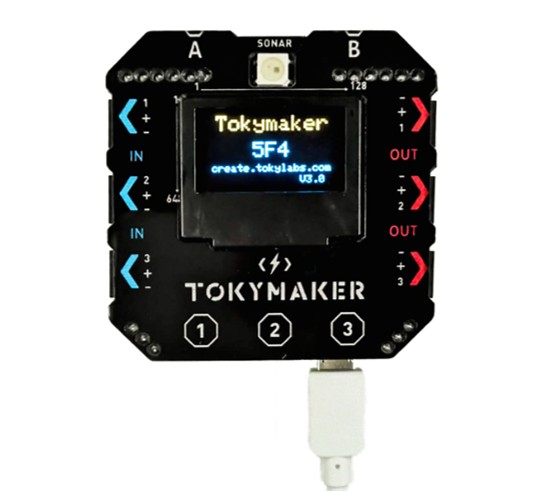
TokyMaker is a small, powerful microcontroller board made by TokyLabs.
It fits in the palm of your hand, connects to sensors and motors without any soldering, and is programmed entirely from a Chrome browser — no software installation needed.
It's designed for students who have never touched electronics before.
2. Who is it for?
Tokymaker is designed for students aged 11–15 and the parents and teachers who work with them. You don't need a coding background to use it.
If you can open a browser and follow clear steps, you can run a Tokymaker project.
3. What makes it different from Arduino or Raspberry Pi?
Arduino requires writing code in C++ and installing software on your computer. Raspberry Pi is a full Linux computer — powerful, but complicated to set up.
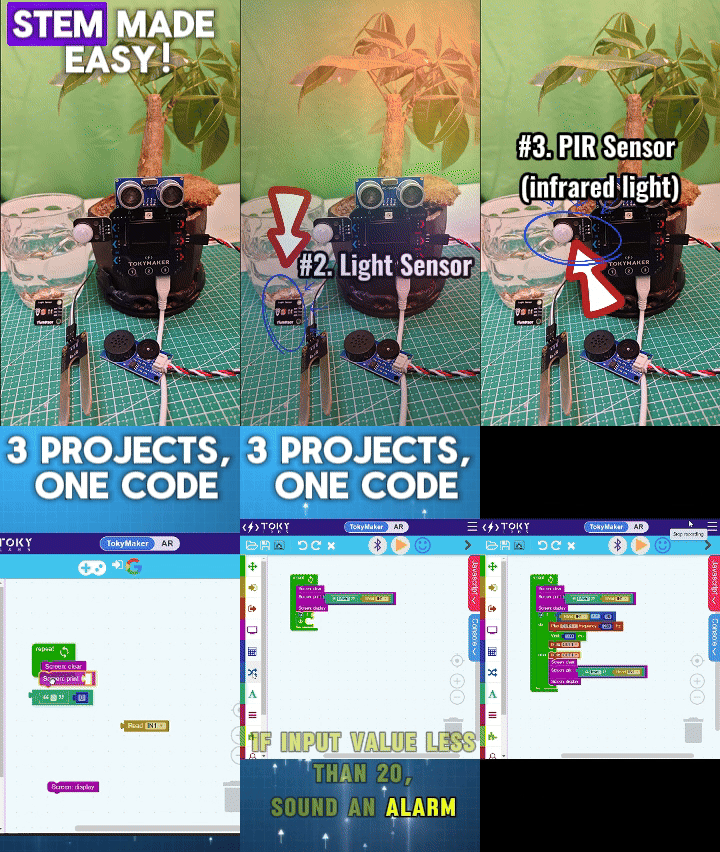
Tokymaker uses a visual drag-and-drop programming interface that runs in Chrome. Students are building real projects in their first session, not troubleshooting a development environment.
4. What can you build with it?
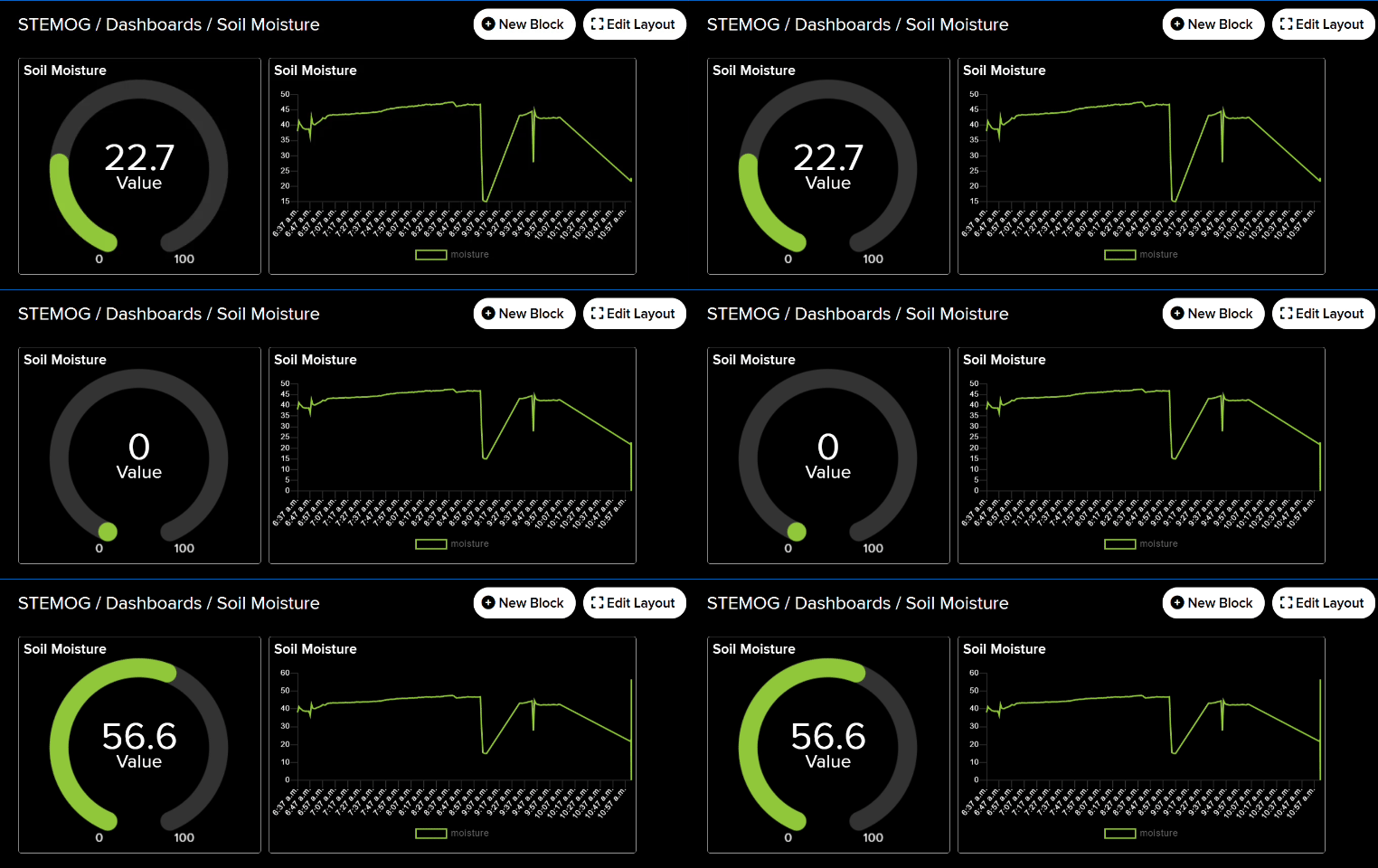
With the TokyMaker Starter Kit you can build a live light sensor dashboard, a motion detector, a plant moisture monitor, a distance measurer, and a smart fan controller — all connected to the internet and visible in a browser.
These aren't toy demos. They're beginner versions of real IoT systems used in homes, farms, and industry.
5. How does it connect to the internet?
TokyMaker has built-in Wi-Fi — no extra boards, cables, or plugins needed.
You code it directly from your browser using the TokyLabs Create platform (create.tokylabs.com), which uploads your program to the device over your local Wi-Fi network.
Once connected, TokyMaker can interact with over 600 internet services including Adafruit IO, IFTTT, Google Assistant, and Amazon Alexa — letting your projects respond to real-world data like weather, emails, or sensor readings from anywhere.
6. Where does AI come in?
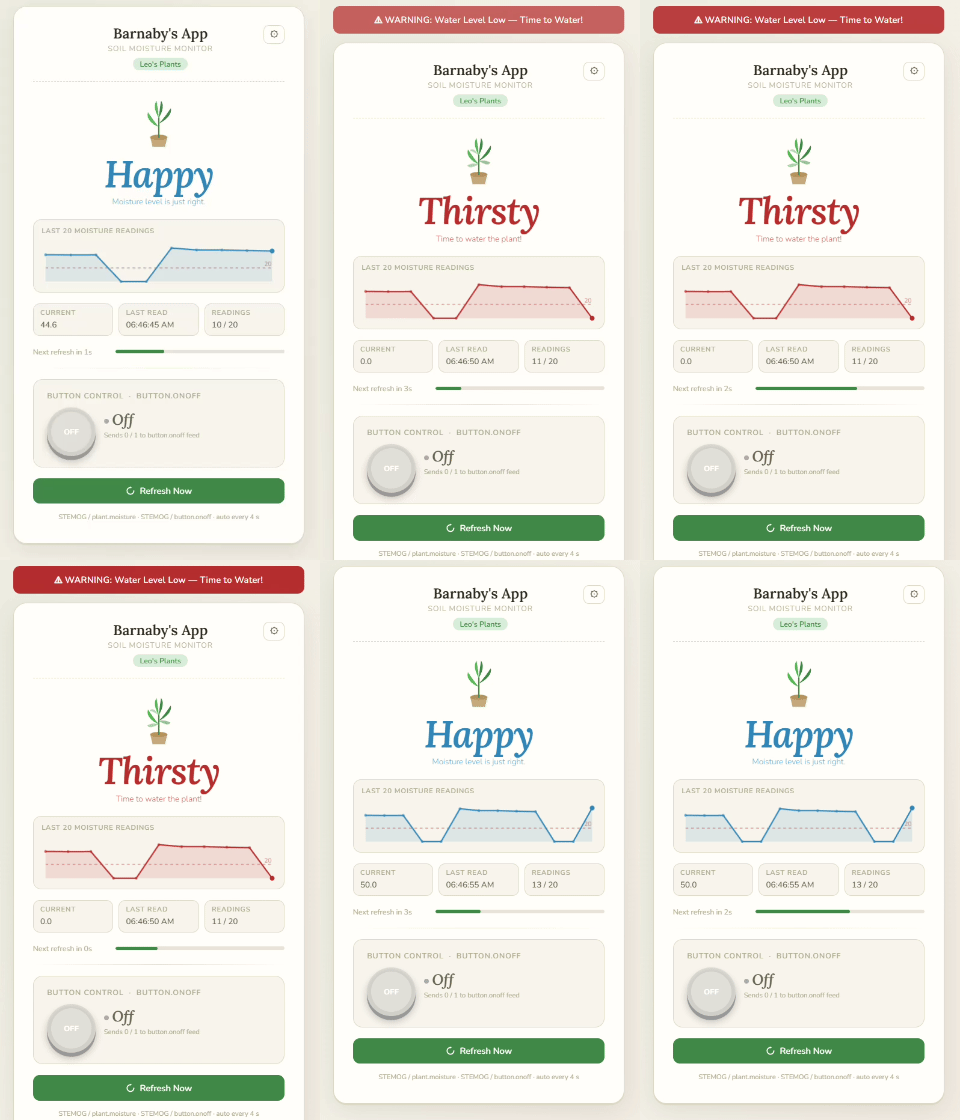
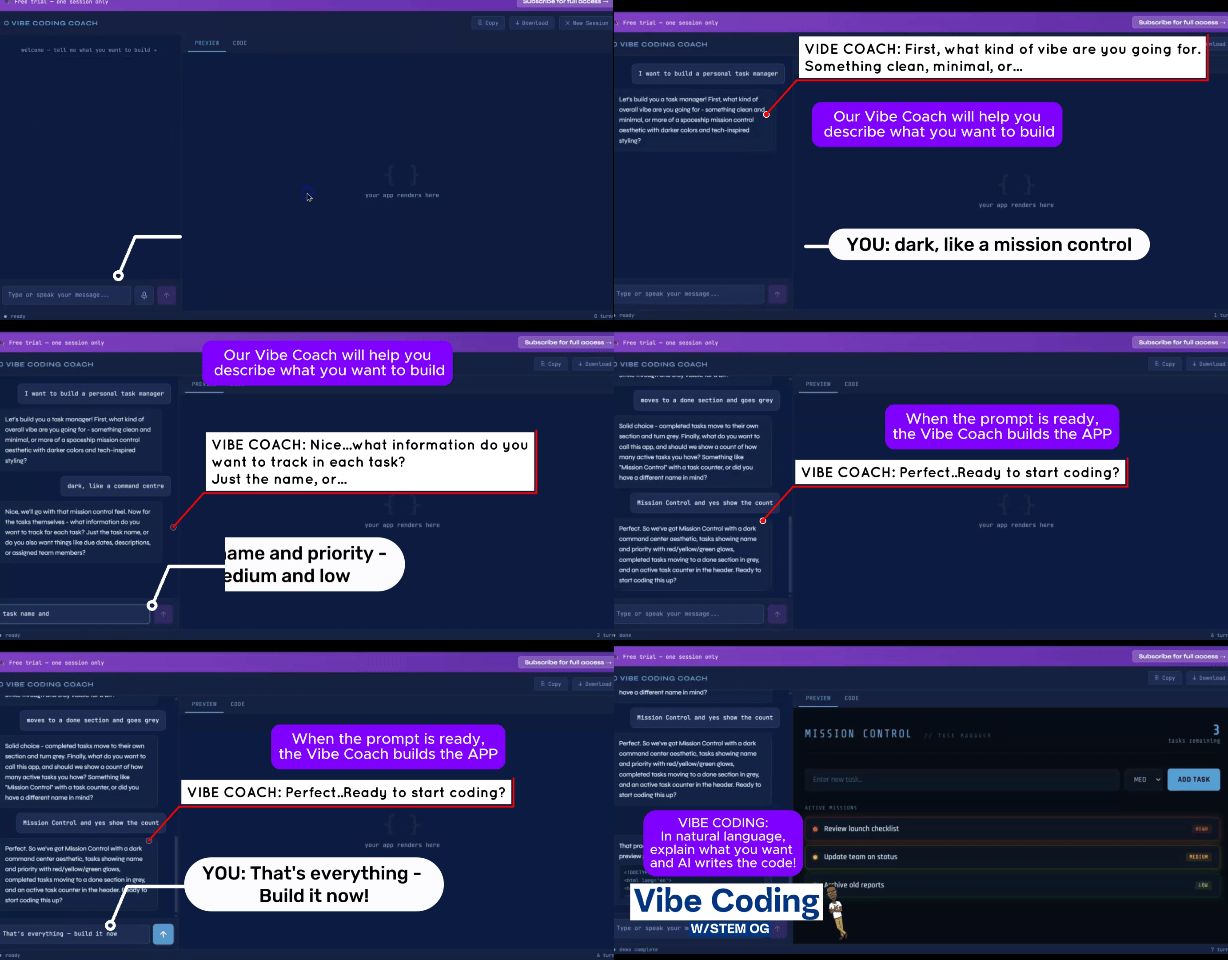
In TokyMaker projects created by STEM OG, students use a Vibe Coach to build an HTML browser dashboard that displays their sensor data. Students describe what they want in plain English — the AI writes the code.
This teaches AI fluency: the ability to direct an AI tool precisely and evaluate what it produces. It's the skill the World Economic Forum (WEF) identifies as the most important for students entering the workforce by 2030.
7. What is a Vibe Coach?
A Vibe Coach is an AI assistant that helps students build their projects using vibe coding. In TokyMaker projects, the Vibe Coach is Claude.ai — students describe what they want their dashboard to do in plain English, and Claude writes the HTML and JavaScript code.
This is vibe coding: describing your intent clearly enough for AI to translate it into working software. Students learn how to write precise prompts, evaluate the code the AI produces, test it against their requirements, and revise when needed.
It's the AI fluency skill the World Economic Forum identifies as critical for the workforce by 2030.
8. What comes in the TokyMaker Super Starter Kit?
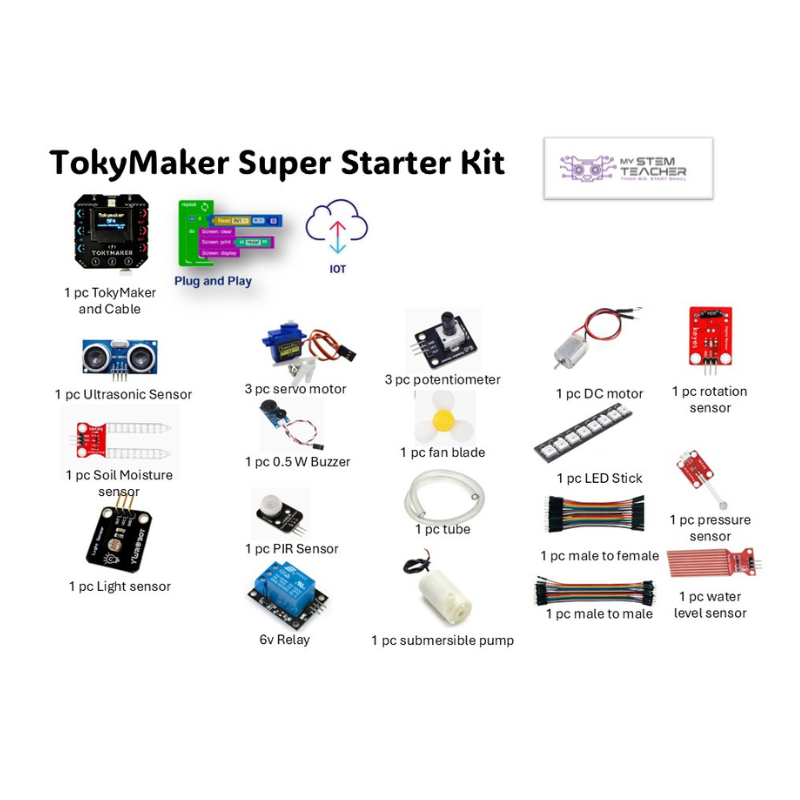
The kit includes the Tokymaker board and cable plus over a dozen plug-and-play components: light sensor, ultrasonic distance sensor, soil moisture sensor, PIR motion sensor, pressure sensor, water level sensor, rotation sensor, servo motors, DC motor, LED stick, buzzer, relay, potentiometers, submersible pump, fan blade, and jumper wires.
Everything your student needs to run every project in the curriculum. Nothing extra to buy.
9. Do I need coding experience to get started?
No. TokyMaker uses a drag-and-drop visual coding interface — color-coded blocks for sensors, motors, screens, and IoT projects — that translates into JavaScript behind the scenes.
No prior programming experience needed. Assemble your blocks, hit Play, and the code uploads to your device wirelessly via Bluetooth. Watch STEM OG's video tutorials to get started.